
pg_service.conf: Named connection profiles for PostgreSQL
- #Data Management
- #Artificial Intelligence
Managing connection strings across ten environments and five services means fifty different URLs floating around in shell history, .env files, and Slack messages. This is the kind of configuration sprawl that leads to accidentally dropping a table in production when you thought you were in staging.
PostgreSQL ships with a built-in solution that mirrors how kubectl handles clusters: named connection profiles defined in a single file. Most developers have never heard of it.
The profile file: pg_service.conf🔗
The ~/.pg_service.conf file lets you define named aliases for Postgres connections. It is supported natively by psql, pgcli, and any tool that uses libpq under the hood — which covers most of the PostgreSQL ecosystem.
A minimal example:
[prod/billing]
host=db.prod.aws.example.com
port=5432
user=deploy_user
dbname=billing_microservice
sslmode=verify-full

[staging/auth]
host=db.staging.gcp.example.com
port=5432
user=dev_user
dbname=auth_db
To connect, pass the profile name instead of a URL:
# Interactive session
psql service=prod/billing

# One-shot query
psql service=staging/auth -c "SELECT count(*) FROM users;"

# Set as default for the shell session
export PGSERVICE=prod/billing
psql   # connects to prod/billing
Naming convention for 50+ profiles🔗
With ten environments and multiple services, a flat namespace becomes unmanageable. A three-part convention works well:
<customer>/<environment>/<service>

# Examples
local/core
dev/seven-bridges
oscar/int/core
oscar/prod/core
naturenergie/prod/core
The slash is valid in a profile name and acts as a visual separator. It forces you to state customer, environment, and service before typing a single query — which is exactly the friction you want when production is one typo away.
Remote environments and Kubernetes tunnels🔗
Most remote profiles connect through a port-forwarded tunnel. The profile points to localhost; you open the tunnel first, then connect as usual:
# Terminal 1: open the tunnel (kubectl port-forward or equivalent)
kcuc naturenergie-prod-admin && prc-service core

# Terminal 2: connect via the profile — no URL needed
psql service=naturenergie/prod/core
Adding a comment to each profile section with the corresponding tunnel command makes the file self-documenting.
Password management🔗
The profile file stores connection metadata, not passwords. You have two options.
Option A: .pgpass (headless / CI)🔗
Create ~/.pgpass with one line per connection in hostname:port:database:username:password format, then restrict permissions:
chmod 0600 ~/.pgpassOption B: macOS Keychain wrapper (interactive)🔗
For interactive use, store passwords in the system Keychain and expose them via a shell function that mimics a context switcher:
# Store once
security add-generic-password -s "pg-prod-billing" -a "deploy_user" -w "your_password"

# Add to ~/.zshrc
pg-connect() {
  local SERVICE_NAME=$1
  export PGPASSWORD=$(security find-generic-password -s "pg-$SERVICE_NAME" -w)
  pgcli service=$SERVICE_NAME
  unset PGPASSWORD
}
The Row-Level Security gotcha🔗
Multi-tenant databases often use Row-Level Security policies that filter data based on a session variable — for example, app.current_tenant_id. If you open a bare connection and forget to run SET app.current_tenant_id = 'acme-corp', your queries will either return data from every tenant or return nothing at all — silently, with no error.
The fix is to bake the session variable into the profile using the options field:
[oscar/prod/core]
host=localhost
port=54320
user=core
dbname=core
options=-c app.current_tenant_id=acme-corp
Every connection opened via this profile will automatically execute SET app.current_tenant_id = acme-corp on connect. No manual SET required — and no risk that a coding agent forgets to do it.
Bonus: tab completion🔗
If you use zsh, zsh-completions reads your ~/.pg_service.conf section headers and auto-completes service=<name> candidates when you press Tab after psql:
brew install zsh-completionsWhat's your current setup for giving agents database access — raw strings, .env files, or something more structured?
Related posts
 Notes on Europython 2020
My notes from attending the 2020 Europython conference online. Typing, NLP, Data, Web and other trends.
- #Data Management
- #Artificial Intelligence
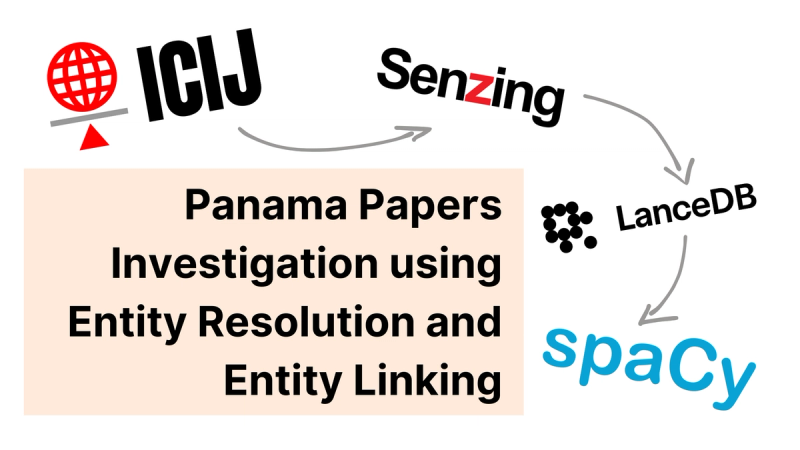 FeaturedPanama Papers Investigation using Entity Resolution and Entity Linking
Combine Senzing's entity resolution with spaCy's entity linking to build domain-specific Knowledge Graphs, shown on a Panama Papers investigation.
- #Artificial Intelligence
- #Analytics
- #Projects
 (non) Alternatives to dbt
During this talk, I’ll be sharing tips to effectively “sell” dbt and the modern data stack, and insights on the current landscape of data transformation tools.
- #Data Management
- #Projects